Graph plane curves described by parametric equations by plotting points.
Graph parametric equations.
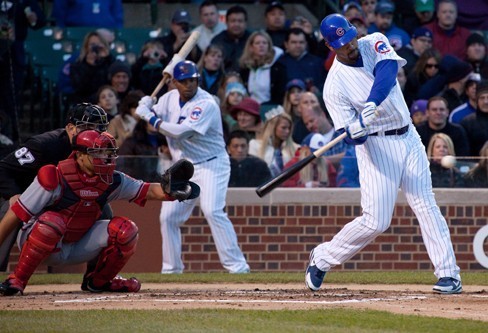
It is the bottom of the ninth inning, with two outs and two men on base. The home team is losing by two runs. The batter swings and hits the baseball at 140 feet per second and at an angle of approximately [latex]45^\circ[/latex] to the horizontal. How far will the ball travel? Will it clear the fence for a game-winning home run? The outcome may depend partly on other factors (for example, the wind), but mathematicians can model the path of a projectile and predict approximately how far it will travel using parametric equations. In this section, we’ll discuss parametric equations and some common applications, such as projectile motion problems.
Parametric equations can model the path of a projectile. (credit: Paul Kreher, Flickr)
Graphing Parametric Equations by Plotting Points
In lieu of a graphing calculator or a computer graphing program, plotting points to represent the graph of an equation is the standard method. As long as we are careful in calculating the values, point-plotting is highly dependable.
How To: Given a pair of parametric equations, sketch a graph by plotting points.
Construct a table with three columns: [latex]t,x\left(t\right),\text{and}y\left(t\right)[/latex].
Evaluate [latex]x[/latex] and [latex]y[/latex] for values of [latex]t[/latex] over the interval for which the functions are defined.
Plot the resulting pairs [latex]\left(x,y\right)[/latex].
Sketch the graph of the parametric equations [latex]x\left(t\right)={t}^{2}+1,y\left(t\right)=2+t[/latex].
Construct a table of values for [latex]t,x\left(t\right)[/latex], and [latex]y\left(t\right)[/latex], as in the table below, and plot the points in a plane.
[latex]t[/latex]
[latex]x\left(t\right)={t}^{2}+1[/latex]
[latex]y\left(t\right)=2+t[/latex]
[latex]-5[/latex]
[latex]26[/latex]
[latex]-3[/latex]
[latex]-4[/latex]
[latex]17[/latex]
[latex]-2[/latex]
[latex]-3[/latex]
[latex]10[/latex]
[latex]-1[/latex]
[latex]-2[/latex]
[latex]5[/latex]
[latex]0[/latex]
[latex]-1[/latex]
[latex]2[/latex]
[latex]1[/latex]
[latex]0[/latex]
[latex]1[/latex]
[latex]2[/latex]
[latex]1[/latex]
[latex]2[/latex]
[latex]3[/latex]
[latex]2[/latex]
[latex]5[/latex]
[latex]4[/latex]
[latex]3[/latex]
[latex]10[/latex]
[latex]5[/latex]
[latex]4[/latex]
[latex]17[/latex]
[latex]6[/latex]
[latex]5[/latex]
[latex]26[/latex]
[latex]7[/latex]
The graph is a parabola with vertex at the point [latex]\left(1,2\right)[/latex], opening to the right. See Figure 2.
Analysis of the Solution
As values for [latex]t[/latex] progress in a positive direction from 0 to 5, the plotted points trace out the top half of the parabola. As values of [latex]t[/latex] become negative, they trace out the lower half of the parabola. There are no restrictions on the domain. The arrows indicate direction according to increasing values of [latex]t[/latex]. The graph does not represent a function, as it will fail the vertical line test. The graph is drawn in two parts: the positive values for [latex]t[/latex], and the negative values for [latex]t[/latex].
Construct a table of values for the given parametric equations and sketch the graph:
[latex]\begin{align}&x=2\cos t \\ &y=4\sin t\end{align}[/latex]
Construct a table like the one below using angle measure in radians as inputs for [latex]t[/latex], and evaluating [latex]x[/latex] and [latex]y[/latex]. Using angles with known sine and cosine values for [latex]t[/latex] makes calculations easier.
By the symmetry shown in the values of [latex]x[/latex] and [latex]y[/latex], we see that the parametric equations represent an ellipse. The ellipse is mapped in a counterclockwise direction as shown by the arrows indicating increasing [latex]t[/latex] values.
Analysis of the Solution
We have seen that parametric equations can be graphed by plotting points. However, a graphing calculator will save some time and reveal nuances in a graph that may be too tedious to discover using only hand calculations.
Make sure to change the mode on the calculator to parametric (PAR). To confirm, the [latex]Y=[/latex] window should show